


PPC automation has changed how advertisers manage campaigns.
What used to require manual checks—budget pacing, bid adjustments, performance monitoring—is now often handled through automation rules and workflows. That shift has made it easier to scale accounts, but it’s also made it harder to stay in control of what’s actually happening.
Most ad platforms offer built-in automation. But once accounts grow, many advertisers start to feel the limitations. You can’t always see what’s driving changes. And it’s easy to miss issues until they’ve already affected performance which is where third-party automation tools come in.
Some focus on rule-based optimizations. Others help monitor accounts, run audits, or manage workflows across multiple campaigns.
In this guide, we’ll look at some of the best PPC automation tools available today—and what each one is actually useful for.
What does PPC automation actually include?
PPC automation can mean different things depending on the tool you’re using.
Some platforms focus on rule-based automation, where you define conditions and actions—for example, adjusting bids when CPA exceeds a threshold.
Others focus on monitoring and alerts, helping you detect issues early without manually checking every campaign.
There are also tools that use machine learning to manage bids and budgets automatically, often with less manual control.
Understanding these differences makes it easier to choose the right tool for your workflow.
What should you look for in a PPC automation tool?
Not all automation tools work the same way. Some give you more control over campaign changes, while others focus on monitoring or simplifying workflows.
When evaluating a tool, these are the four areas that matter most.
Aspect | What it actually means in practice |
Control | You should be able to decide how and when automation runs. If a tool relies entirely on black-box recommendations, it becomes hard to trust—especially in larger accounts where small changes can have a big impact. |
Visibility | Automation only works if you can see what’s happening. Look for tools that clearly show performance changes, alerts, and the impact of automated actions so you’re not guessing what changed. |
Reliability | Automation should reduce risk—not introduce it. A good tool helps catch issues early, like broken tracking, budget overspend, or sudden performance drops, before they affect results. |
Scalability | As accounts grow, automation should help you manage more campaigns without increasing manual work. This matters most for agencies and teams handling multiple accounts. |
Let’s look at some of the best PPC automation tools in the market. We’ve listed 8 tools here after a thorough research.
Best PPC automation tools
Tool | Category | Best for | Core strength | Limitation |
Optmyzr | PPC automation platform | Agencies and in-house teams managing multiple accounts | Combines automation, monitoring, and reporting in one platform | Learning curve for new users |
Skai | Enterprise marketing platform | Large organizations managing multi-channel campaigns | Cross-channel campaign management and enterprise reporting | Expensive and complex for smaller teams |
Adalysis | Auditing & testing tool | Teams focused on account health and ad testing | Automated audits and testing workflows | Limited support for newer campaign types like PMax |
Birch | Social automation platform | Teams running creative-heavy campaigns on Meta and TikTok | Creative testing and social campaign automation | Limited depth for Google Ads automation |
TrueClicks | Monitoring & auditing tool | Agencies managing multiple client accounts | Automated account checks and issue detection | Not a campaign management platform |
NinjaCat | Reporting platform | Agencies needing dashboards and client reporting | Custom reporting and multi-source data integration | No automation or optimization capabilities |
Opteo | Optimization recommendation tool | Small to mid-sized advertisers | Guided suggestions for campaign improvements | Limited automation for larger accounts |
Adpulse | Workflow automation tool | Teams that want to build rule-based automation without scripts | Visual workflow builder for automation rules and campaign monitoring | Requires manual setup; limited support for newer campaign types like PMax |
Optmyzr
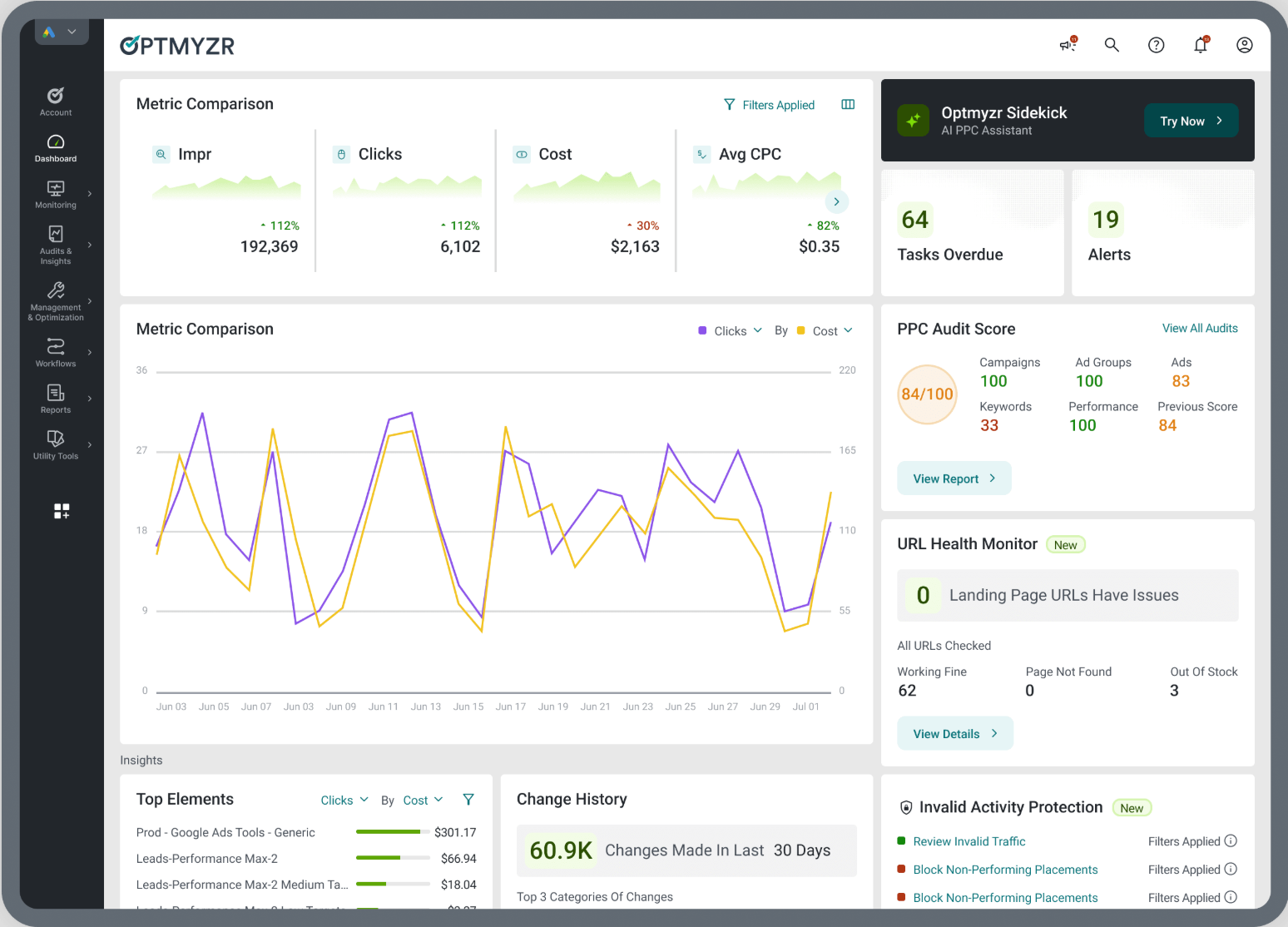
Best for: Detailed insights, optimization, reporting, and automation across various campaign types
Pricing: From $209/month ($25K spend, upto 25 accounts)
Rating: Rated 4.6/5 on G2 and 4.7/5 on Capterra
Optmyzr is a PPC automation platform designed to help advertisers manage, monitor, and optimize campaigns at scale.
Instead of relying solely on Google Ads’ built-in automation, teams use Optmyzr to define their own rules, monitor performance changes, and automate routine optimization tasks across multiple accounts.
This makes it particularly useful for agencies and in-house teams that need more control and visibility as accounts grow.
Optmyzr’s key features
Automation and workflows
- Rule-based optimizations for bids, budgets, and campaign settings
- Workflow automation to manage repetitive tasks
Monitoring and alerts
- Detects performance anomalies across campaigns
- Alerts teams when metrics change unexpectedly
Reporting and analysis
- Custom dashboards and scheduled reports
- Cross-account performance analysis
Campaign management
- Tools for Search, Shopping, Performance Max, and RSA campaigns
What kinds of teams use Optmyzr?
Optmyzr is used by a variety of teams such as:
- Digital marketing agencies: Helps scale their operations and improve their client service by providing them with the tools they need to manage multiple PPC campaigns efficiently.
- In-house marketing teams: Helps save time and improve their PPC performance by automating many of the tasks involved in managing campaigns. This frees up team members to focus on more strategic initiatives.
- Enterprise marketing teams: Helps manage their PPC spending much better by providing them with data-driven insights and recommendations.
- Individual PPC consultants: Helps streamline their workflow and manage multiple campaigns without the need for extensive resources.
Pros & Cons
Pros
- Strong automation and workflow capabilities
- Helps manage multiple accounts efficiently
- Combines monitoring, reporting, and optimization in one platform
Cons
- Learning curve for teams new to automation platforms
- May be more than smaller accounts need
What do users say about Optmyzr?
Users have praised Optmyzr for its significant time-saving capabilities, particularly through custom-built automations in its Rule Engine, which effectively streamline tasks that would typically require a team of PPC managers.
The platform’s workflow design allows for systematic account management, ensuring comprehensive optimization without overlooking any tasks.
Additionally, users appreciate the user-friendly interface and the exceptional support team, which collectively enhance productivity and facilitate the implementation of tailored strategies.
Skai
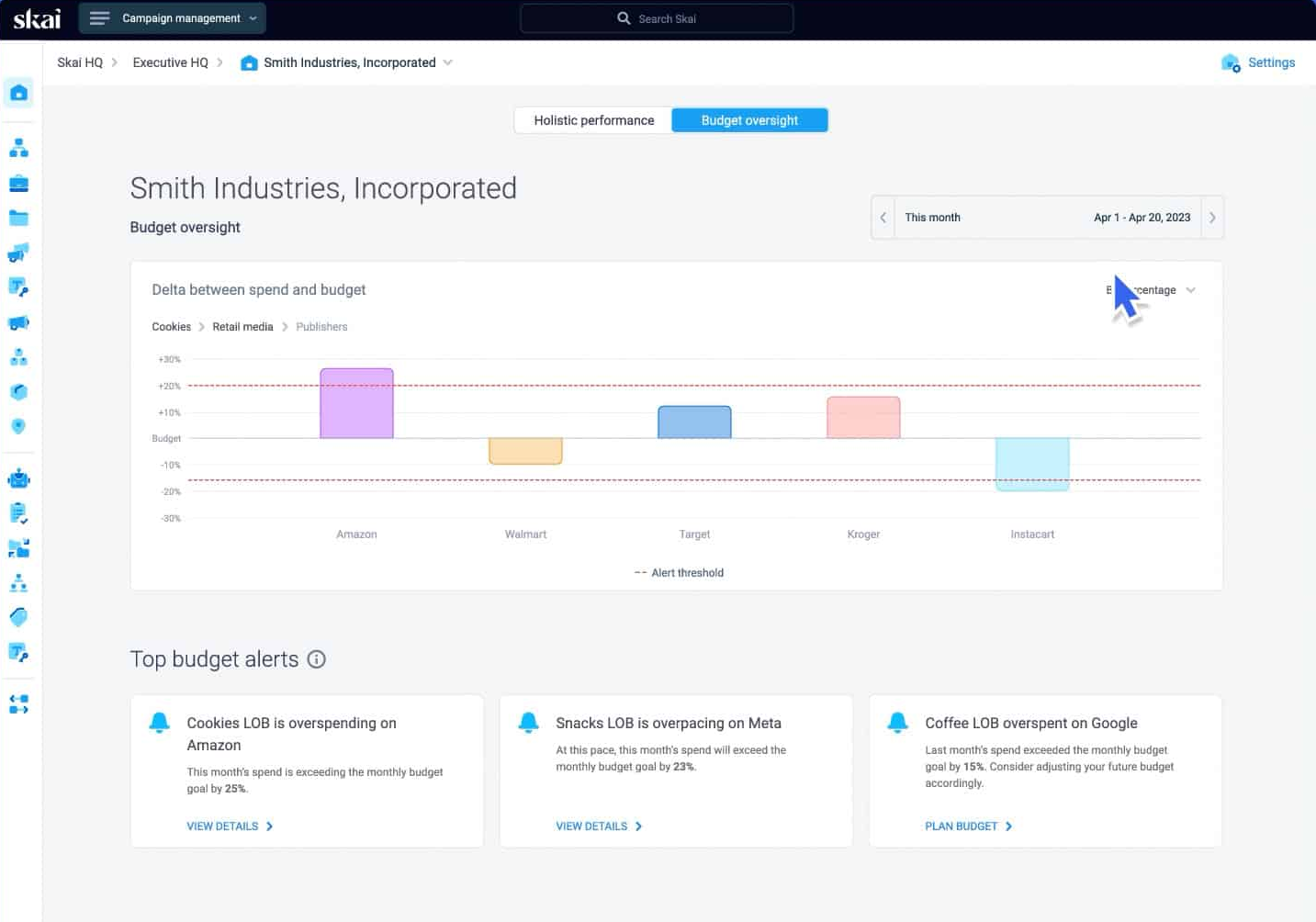
Best for: Enterprises aiming to manage large-scale PPC campaigns across multiple channels on a unified platform
Pricing: From $90,000/year
Rating: Rated 4/5 on G2 and 4.4/5 on Capterra
Skai is an enterprise marketing platform built for managing large paid media programs across multiple channels.
Unlike most PPC tools that focus only on Google Ads, Skai is designed for organizations running campaigns across search, social, and retail media from a single platform.
It’s typically used by large teams that need centralized control, reporting, and automation across multiple advertising channels.
Skai’s key features
Cross-channel campaign management
- Manage campaigns across multiple advertising platforms
Automation
- Automate campaign optimizations and workflows
Reporting and analytics
- Analyze performance across large datasets and multiple channels
Pros and Cons
Pros
- Built for large-scale advertising programs
- Supports multi-channel campaign management
- Strong reporting for enterprise use cases
Cons
- Expensive, complicated pricing and free trial structure
- No script support for Google Ads Performance Max campaigns
- Has a longer support response time (6-24 hours) than Optmyzr (2 hours)
What do users say about Skai?
Users praise Skai for its user-friendly interface, responsive customer support, and powerful automation features that streamline campaign management. They also value its actionable insights, robust analytics, and regular updates that keep the platform current and effective.
Adalysis
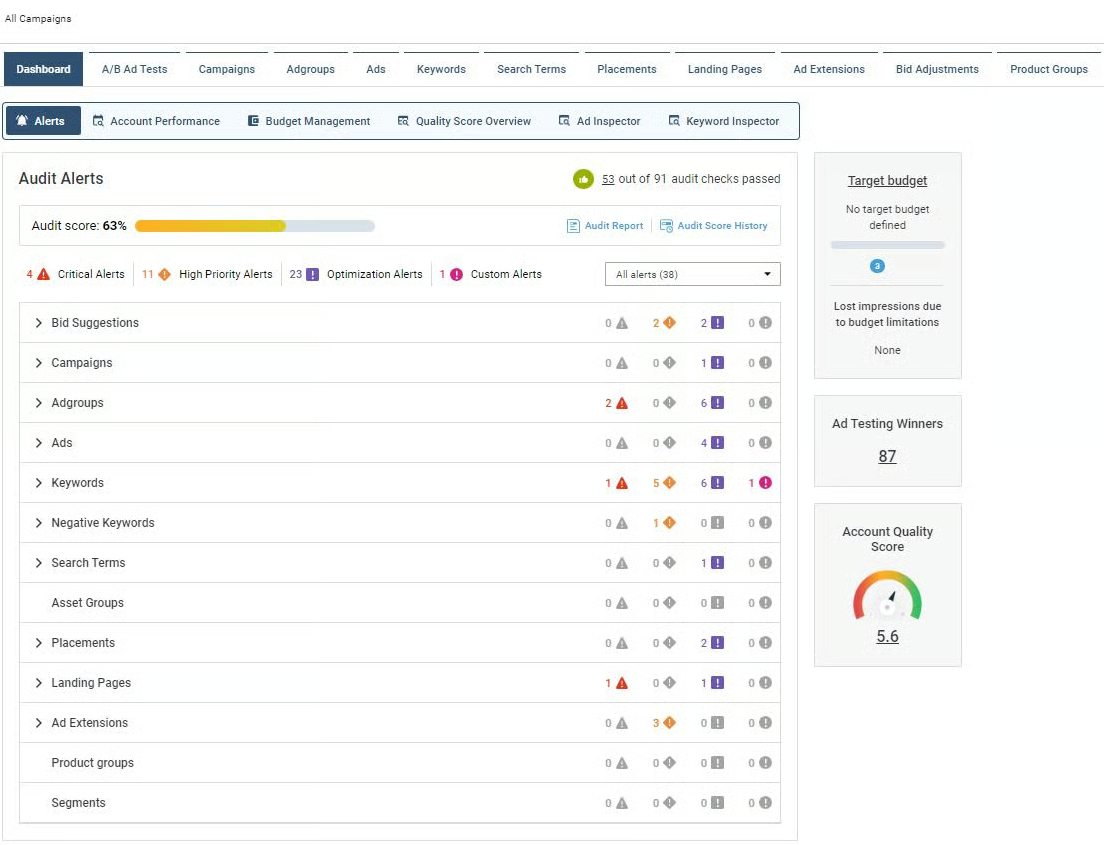
Best for: Advertisers seeking automated PPC audits and health checks to maintain account performance
Pricing: From $149/month for $50K spend, unlimited accounts
Rating: Rated 4.8/5 on G2 and 4.6/5 on Capterra
Adalysis is a PPC optimization tool focused on account audits, testing workflows, and ongoing campaign monitoring.
Rather than acting as a full campaign management platform, Adalysis is typically used alongside Google Ads to identify issues and highlight areas for improvement. It continuously scans accounts for problems related to bidding, ad performance, and campaign structure.
For teams managing multiple accounts, this helps reduce the need for manual reviews and makes it easier to maintain account health over time.
Adalysis’s key features
Account audits
- Scans campaigns for structural issues and optimization opportunities
Testing workflows
- Helps manage ad testing and identify top-performing variations
Monitoring
- Provides ongoing checks to maintain account health
Pros and Cons
Pros
- Strong auditing and account monitoring capabilities
- Helps identify issues without manual reviews
- Useful for agencies managing multiple accounts
Cons
- No support for Amazon Ads and Meta Ads
- Limited capabilities for Performance Max, value-based bidding, shopping, and rule-based automation
- Doesn’t integrate with Microsoft Teams, or Zapier
What do users say about Adalysis?
Users have praised Adalysis for its ability to streamline PPC optimization by highlighting areas that need attention and automating ad testing. They also appreciate the platform’s capability to provide valuable insights and facilitate changes without the need to log into Google Ads.
Bïrch
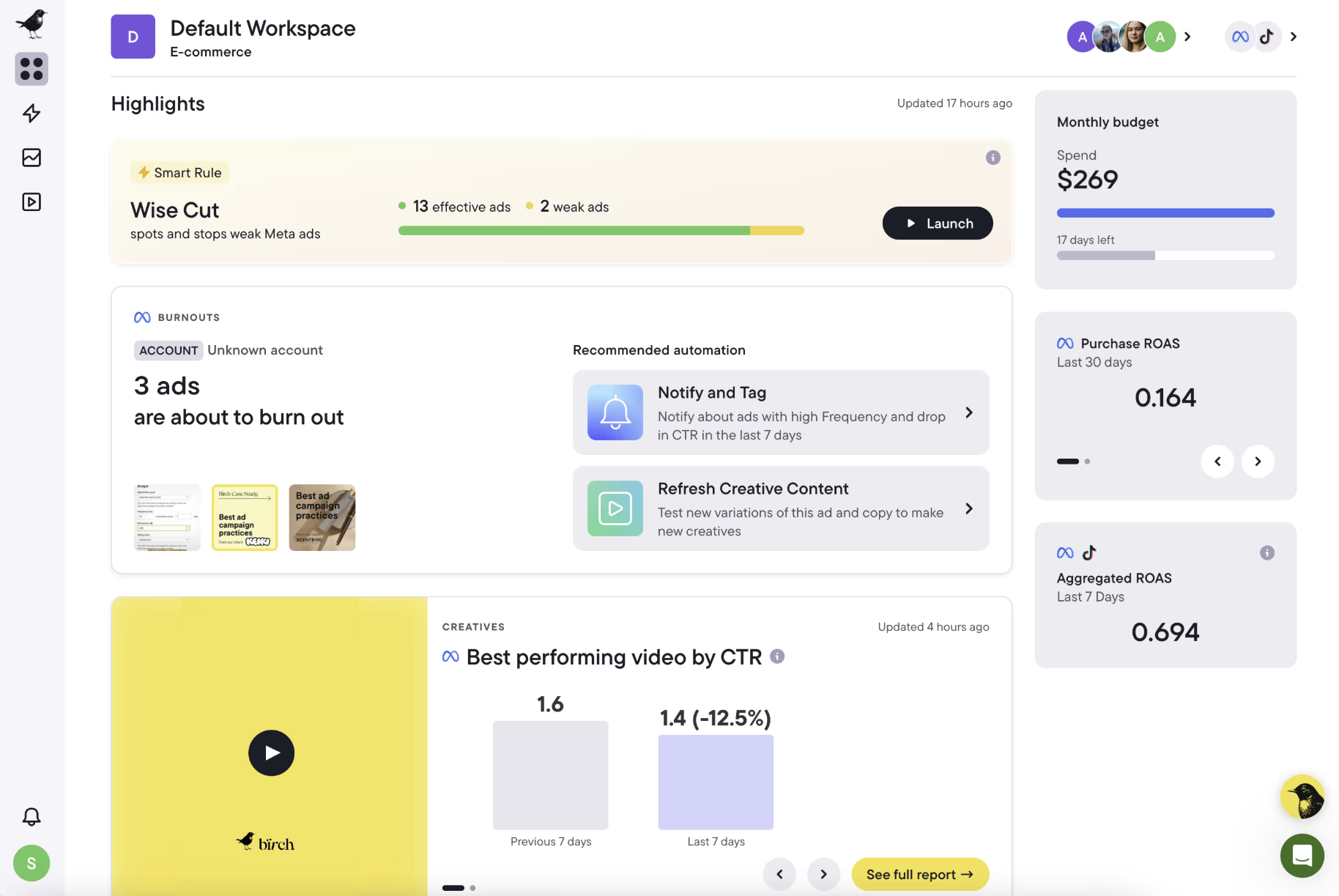
Best for: Agencies seeking to automate and optimize ad campaigns across platforms like Meta, Google, Snapchat, and TikTok.
Pricing: From $99/month ($10K spend)
Rating: Rated 4.4/5 on G2 and 4.5/5 on Capterra
Birch is an automation platform focused primarily on managing and scaling paid social campaigns, with additional support for Google Ads.
The platform is often used by teams running campaigns across Meta, TikTok, and other social platforms, where automation is needed for creative testing, campaign scaling, and performance monitoring.
While Birch does support Google Ads, its strengths are more aligned with social advertising workflows than search-focused campaign management.
Bïrch’s key features
Campaign automation
- Automates campaign management across social platforms
Creative workflows
- Helps manage and scale creative testing
Cross-platform support
- Supports Meta, TikTok, Snapchat, and Google Ads
Pros and Cons
Pros
- Strong support for social advertising platforms
- Useful for managing creative-heavy campaigns
- Helps scale campaigns across multiple platforms
Cons
- Limited automation depth for Google Ads
- Not built specifically for search-focused workflows
- Limited support for advanced Google Ads features like Performance Max
What do users say about Bïrch?
Bïrch (formerly Revealbot) is highly regarded for its intuitive interface, which streamlines the creation and management of ad campaigns across platforms like Meta and TikTok.
Users commend its automation features, such as Bulk Creation and Post Boosting, for enhancing efficiency and simplifying complex tasks.
TrueClicks
Best for: Agencies needing comprehensive auditing and budget management across numerous accounts
Pricing: From $208/month ($50K spend, unlimited accounts)
Rating: Rated 4.5/5 on G2 and 4.5/5 on Capterra
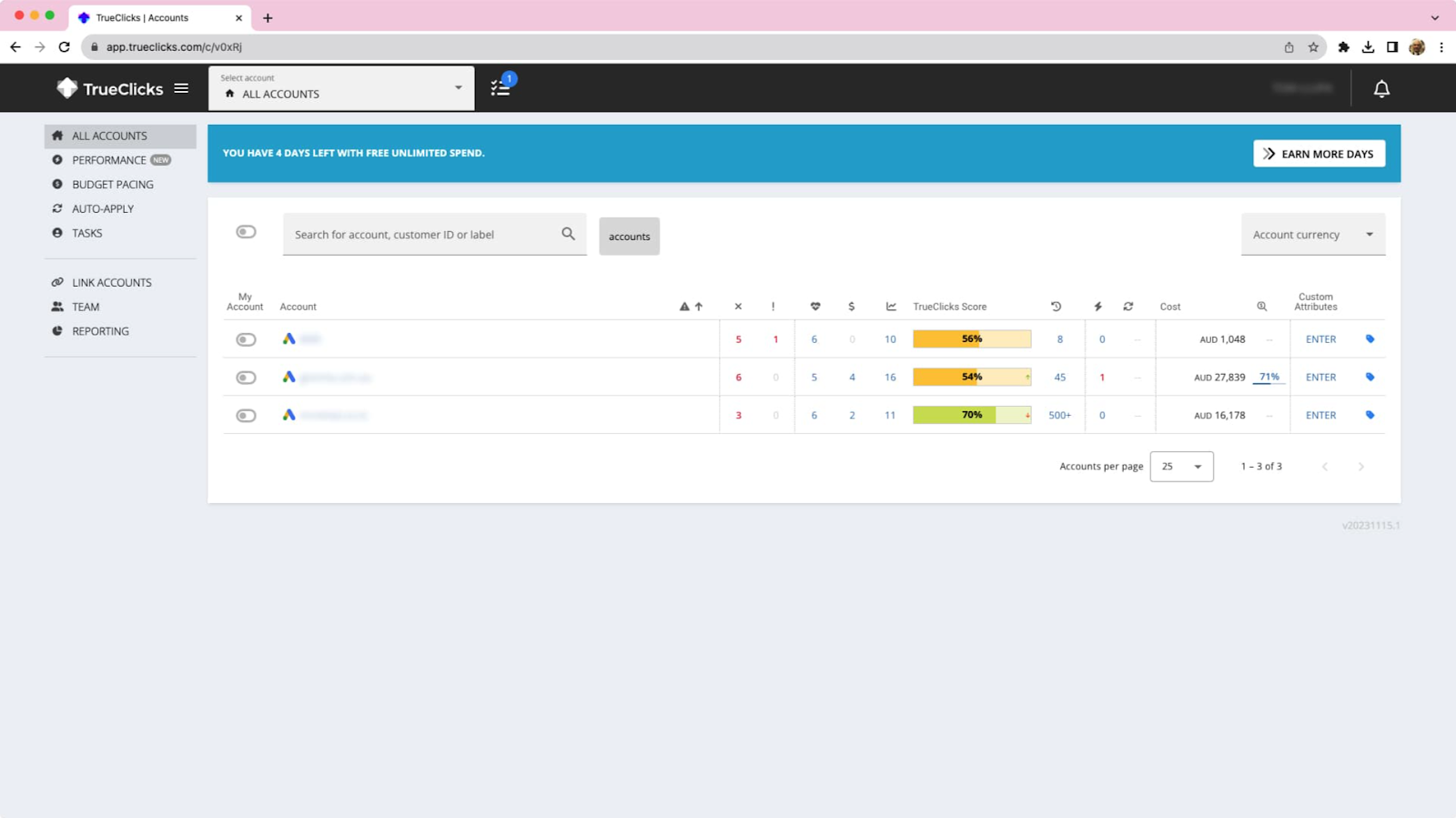
TrueClicks is a monitoring and auditing tool designed to help agencies keep track of account health across multiple Google Ads accounts.
Instead of manually reviewing campaigns every day, TrueClicks runs automated checks to identify issues such as broken tracking, budget pacing problems, missing extensions, and wasted spend.
It’s typically used alongside other PPC tools as a safety layer to catch problems early.
TrueClicks’s key features
Account monitoring
- Runs automated checks across campaigns and accounts
- Flags issues that can impact performance
Auditing
- Identifies inefficiencies and missed optimization opportunities
Data export
- Supports integration with reporting tools and analytics platforms
Pros and Cons
Pros
- Helps monitor large numbers of accounts efficiently
- Useful for detecting issues early
- Works well alongside other PPC tools
Cons
- Not a campaign management or optimization platform
- Limited automation compared to full PPC platforms
What do users say about TrueClicks?
Users have praised TrueClicks for its user-friendly interface, effective automation of routine tasks, and actionable suggestions that enhance campaign performance. Additionally, TrueClicks is recognized for its ongoing development and responsiveness to user feedback, continually updating the platform to align with industry best practices.
NinjaCat
Best for: Agencies, media companies, and brands that need to produce comprehensive and consistent report presentations for clients or stakeholders
Pricing: On request
Rating: Rated 4.1/5 on G2 and 4.4/5 on Capterra
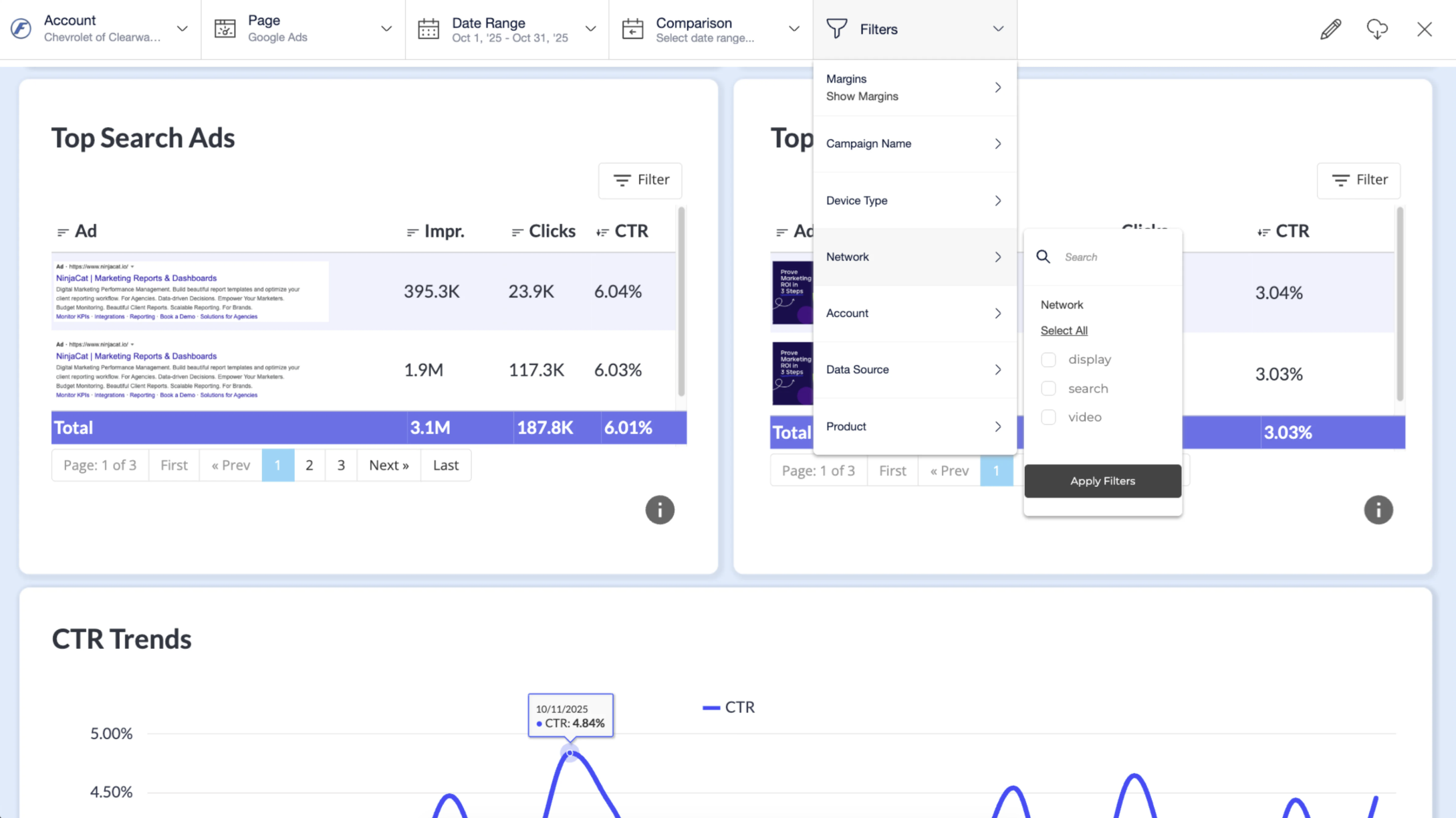
NinjaCat is a reporting and analytics platform designed for agencies that need to build dashboards and deliver performance reports across multiple clients.
Unlike most tools in this list, NinjaCat focuses on reporting rather than campaign automation. It helps teams pull data from different platforms, build dashboards, and present performance insights to clients or stakeholders.
NinjaCat’s key features
Reporting and dashboards
- Build custom dashboards using data from multiple advertising platforms
Data integration
- Connects with ad platforms, CRM systems, and analytics tools
Client reporting
- Helps agencies standardize reporting across accounts
Pros and Cons
Pros
- Strong reporting and dashboard capabilities
- Supports multiple data sources
- Useful for client-facing reporting
Cons
- NinjaCat’s forte is its suite of analytics tools
- UI looks clunky and outdated according to some users
What do users say about NinjaCat?
Users appreciate the platform’s seamless integration with various data sources, enabling efficient consolidation of marketing metrics.
The platform’s automation capabilities are also praised, as they streamline reporting processes and save valuable time for marketing teams. Additionally, NinjaCat’s responsive customer support is frequently highlighted, with users noting prompt assistance and effective solutions to their queries.
Opteo
Best for: Small to medium-sized businesses seeking easy-to-understand performance recommendations
Pricing: From $129/month for $25K spend, up to 10 accounts
Rating: Rated 4.5/5 on G2 and 4.8/5 on Capterra
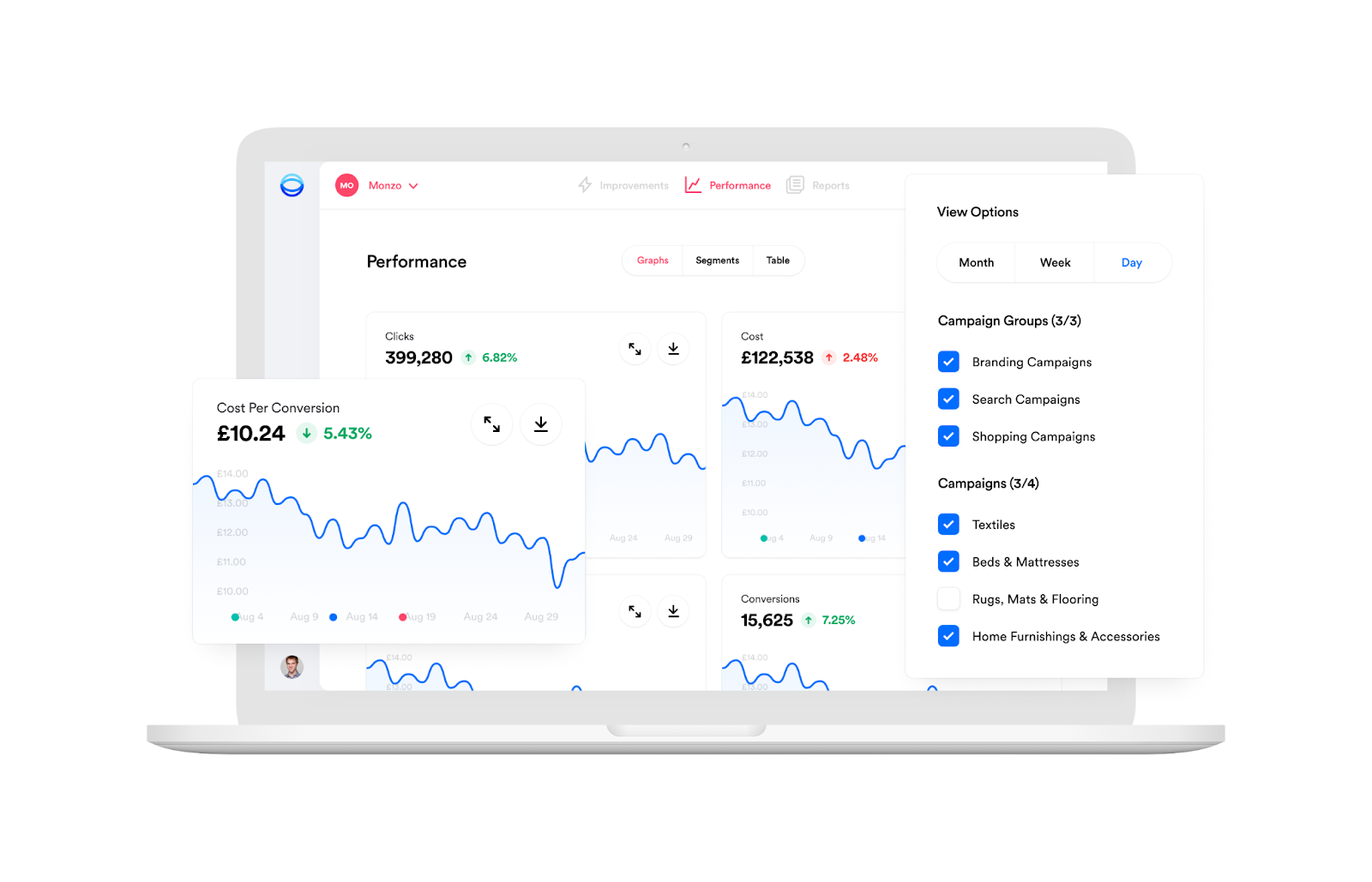
Opteo is a Google Ads tool designed to help advertisers monitor performance and identify optimization opportunities.
The platform analyzes account data and highlights potential improvements, such as bid adjustments, keyword changes, and budget shifts. Instead of manually reviewing campaigns, advertisers can use these suggestions as a starting point for optimization.
Opteo’s key features
Performance monitoring
- Tracks campaign performance and highlights changes
Optimization suggestions
- Surfaces potential improvements based on account data
Alerts and notifications
- Sends updates through Slack and other integrations
Pros and Cons
Pros
- Easy-to-understand UI
- Suitable for SMBs with limited PPC management needs
Cons
- Limited automation compared to full PPC platforms
- Less suited for large or complex accounts
What do users say about Opteo?
Users praise Opteo for its time-saving features, user-friendly interface, and actionable recommendations that improve campaign performance. Additionally, its responsive customer support enhances the overall experience.
Adpulse
Best for: Teams that want to build and manage rule-based automation workflows without using scripts
Pricing: From $25/month (based on ad spend tiers)
Rating: Not enough G2 and Capterra reviews
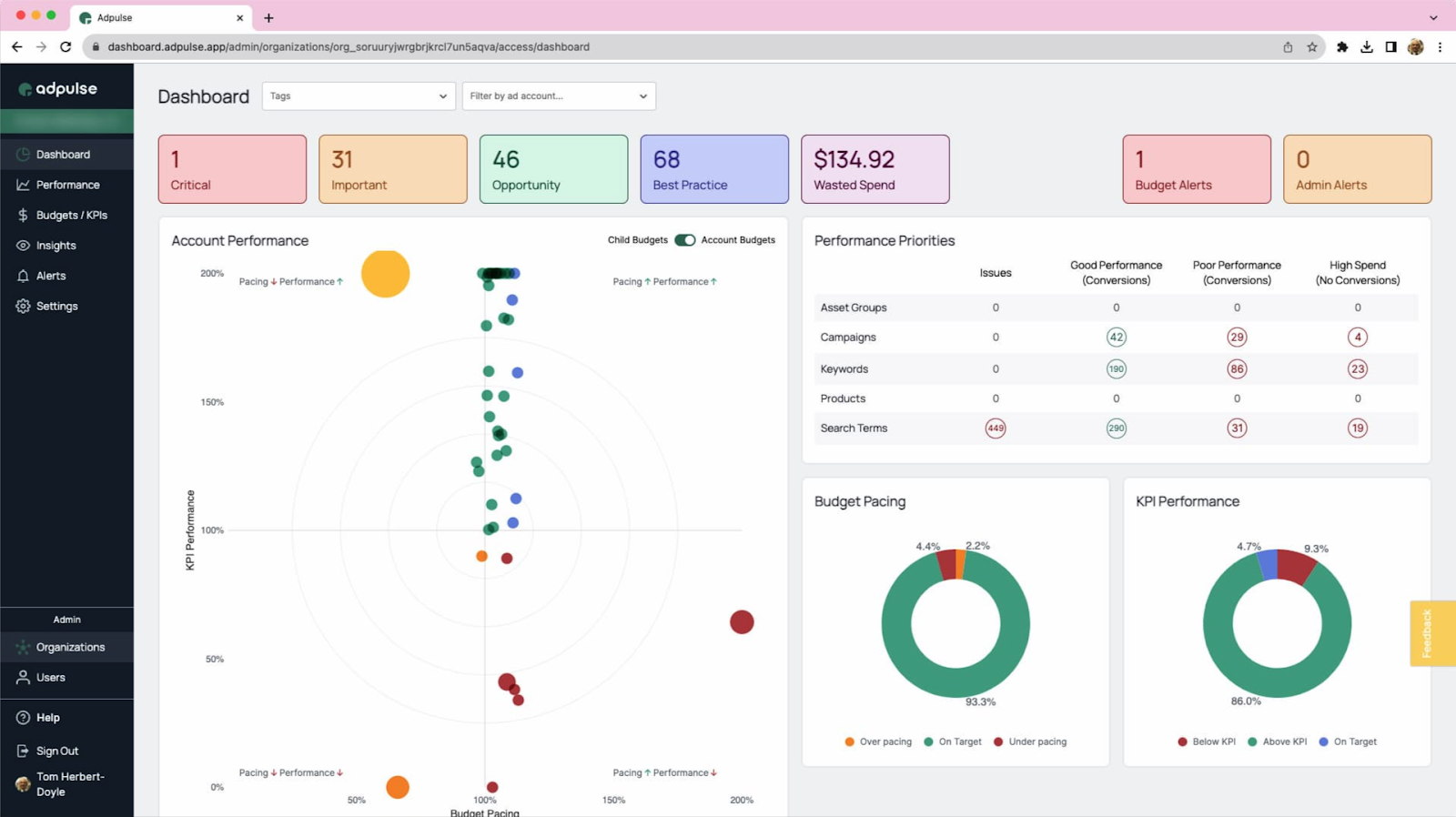
Adpulse is a PPC automation tool focused on building rule-based workflows through a visual interface.
Instead of writing scripts or manually checking campaigns, you can set up conditions—like changes in CPA, spend, or conversions—and define what should happen when those conditions are met.
This makes it useful for teams that want automation but prefer a more structured, visual approach to managing it.
Adpulse’s key features
Automation workflows
- Create rules that monitor campaigns and trigger actions automatically
Campaign monitoring
- Track performance changes across multiple accounts
Reporting and audits
- Identify issues and optimization opportunities
Integrations
- Connect with tools like Slack, Microsoft Teams, and Zapier
Pros and Cons
Pros
- Visual workflow builder makes automation easier to set up
- Useful for reducing repetitive campaign checks
- Supports collaboration through integrations
Cons
- Limited support for newer campaign types like Performance Max
- Some workflows require manual setup and tuning
- Smaller ecosystem compared to larger PPC platforms
What do users say about Adpulse?
Users often highlight the visual workflow builder as a practical way to automate routine PPC tasks. It’s especially useful for teams that want automation without relying on scripts.
Build a competitive advantage with automation
Automation is a net positive, says Navah Hopkins. And it’s absolutely true. If you aren’t using it in 2026, you’re losing out.
The modern PPC advertiser’s job is no longer about pulling levers and pushing buttons in an ad interface. Your real value is your ability to contextualize, think creatively, and provide high-quality inputs. And a great PPC automation tool helps you do that.
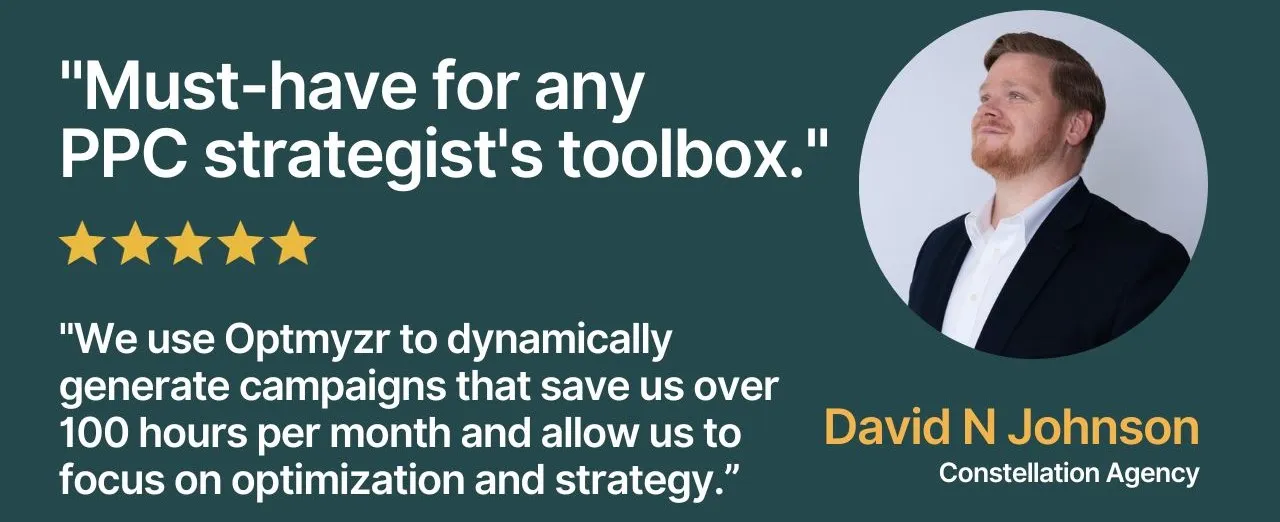
You can start a 14-day free trial to see how it fits into your workflow, or schedule a quick call with the team to understand how it can support your campaigns.
Thousands of advertisers — from small agencies to big brands — worldwide use Optmyzr to manage over $5 billion in ad spend every year. Plus, if you want to know how Optmyzr’s various features help you in detail, talk to one of our experts today for a consultation call.
Frequently Asked Questions
What is PPC automation?
PPC automation refers to using tools or rules to handle repetitive campaign management tasks automatically.
Instead of manually checking campaigns every day, advertisers can use automation to:
- adjust bids and budgets
- monitor performance changes
- detect issues early
- run routine optimizations
Most modern PPC tools combine rule-based automation with monitoring and alerts to reduce manual work.
Why do you need PPC automation?
As campaigns grow, managing everything manually becomes difficult.
Advertisers often use automation tools to:
- monitor multiple campaigns at once
- reduce time spent on repetitive tasks
- catch performance issues early
- maintain consistency across accounts
Automation doesn’t replace strategy—but it helps teams spend less time on routine work and more time on decision-making.








